
One harness. Every coding agent.
Agent work, kept on rails.


Desktop app · CLI reference · Library API · Control protocol · Changelog
Runrail is a local-first harness for coding agents. Use its native agent loop or the coding tools you already run, with explicit workspace policy, approvals, verification, and content-free run evidence around the work.
Watch the 30-second demo (MP4)
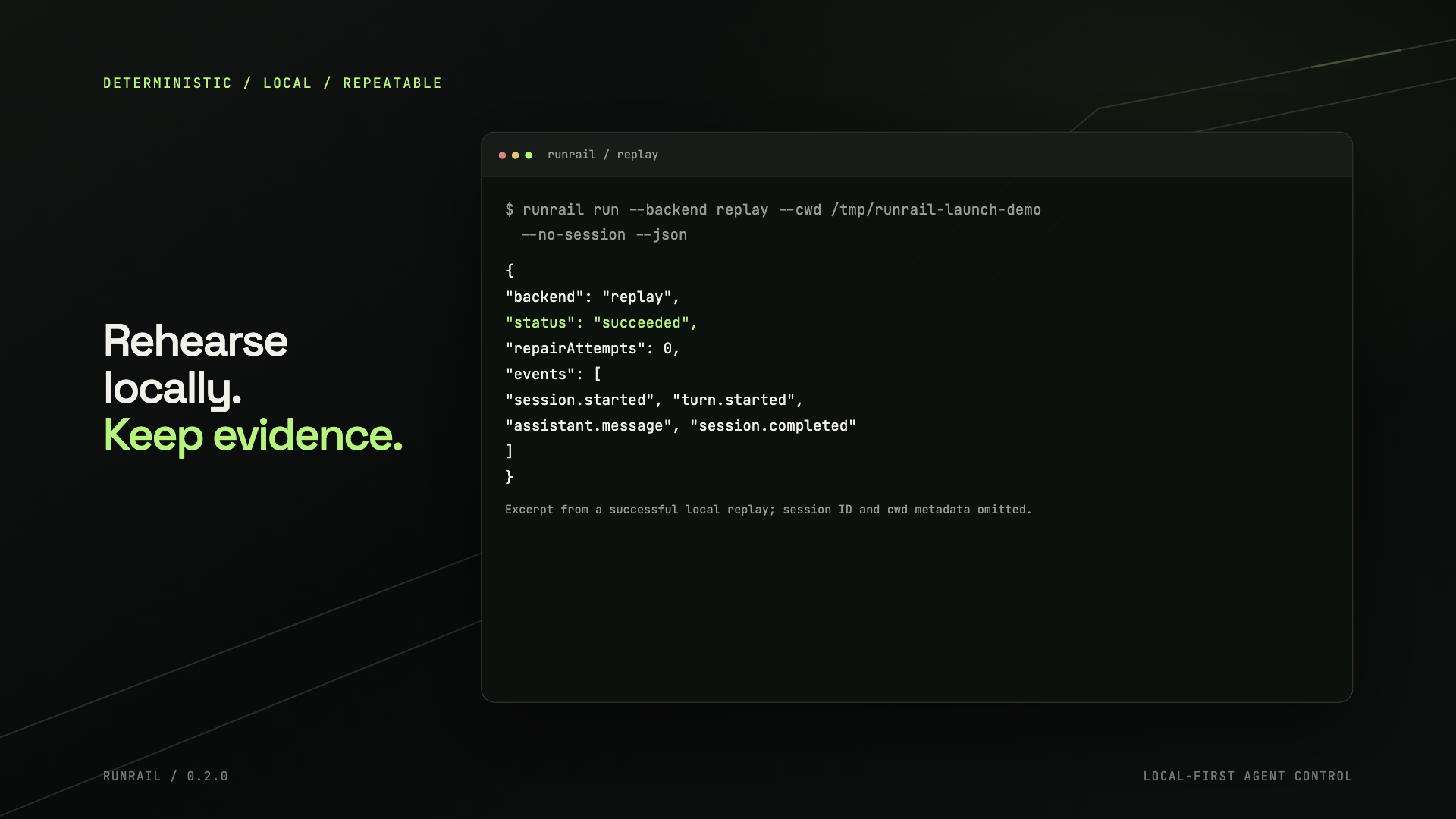
The clip shows the real Runrail backend and provider registries and a successful local deterministic replay. The replay needs no provider credentials.
Runrail requires Git. The npm and Bun packages require Bun 1.3 or newer on your PATH. macOS and Linux release builds are also available from GitHub.
# macOS or Linux release installer
curl -fsSL https://github.com/TechDev009/runrail/releases/latest/download/install.sh | sh

# npm or Bun global install
npm install --global runrail
bun add --global runrail
Windows builds are experimental. See Releases for the current platform artifacts.
Runrail can use a provider API key referenced by environment variable. Set OPENAI_API_KEY in your shell, then replace MODEL_ID with a model available to your account:
runrail run --backend native \
  --cwd ~/code/my-app \
  --provider openai \
  --provider-model MODEL_ID \
  --provider-credential-env OPENAI_API_KEY \
  --provider-allow-remote \
  "Add input validation to the signup form"
Use the interactive console when you want to review approvals as the agent works:
runrail console --backend native --cwd ~/code/my-app \
  --provider openai --provider-model MODEL_ID \
  --provider-credential-env OPENAI_API_KEY --provider-allow-remote
To inspect the available backends and provider protocols:
runrail backends --json
runrail providers --json
runrail harnesses --json
runrail compatibility --json
runrail models --json
Native Runrail uses a deterministic local model when no provider is selected. The replay backend is also deterministic and works without a provider account:
runrail run --backend replay --cwd ~/code/my-app --no-session --json
A one-shot run cannot pause for an approval prompt, so it declines actions that need interactive approval. Use the console or the desktop app for an approval-driven session.
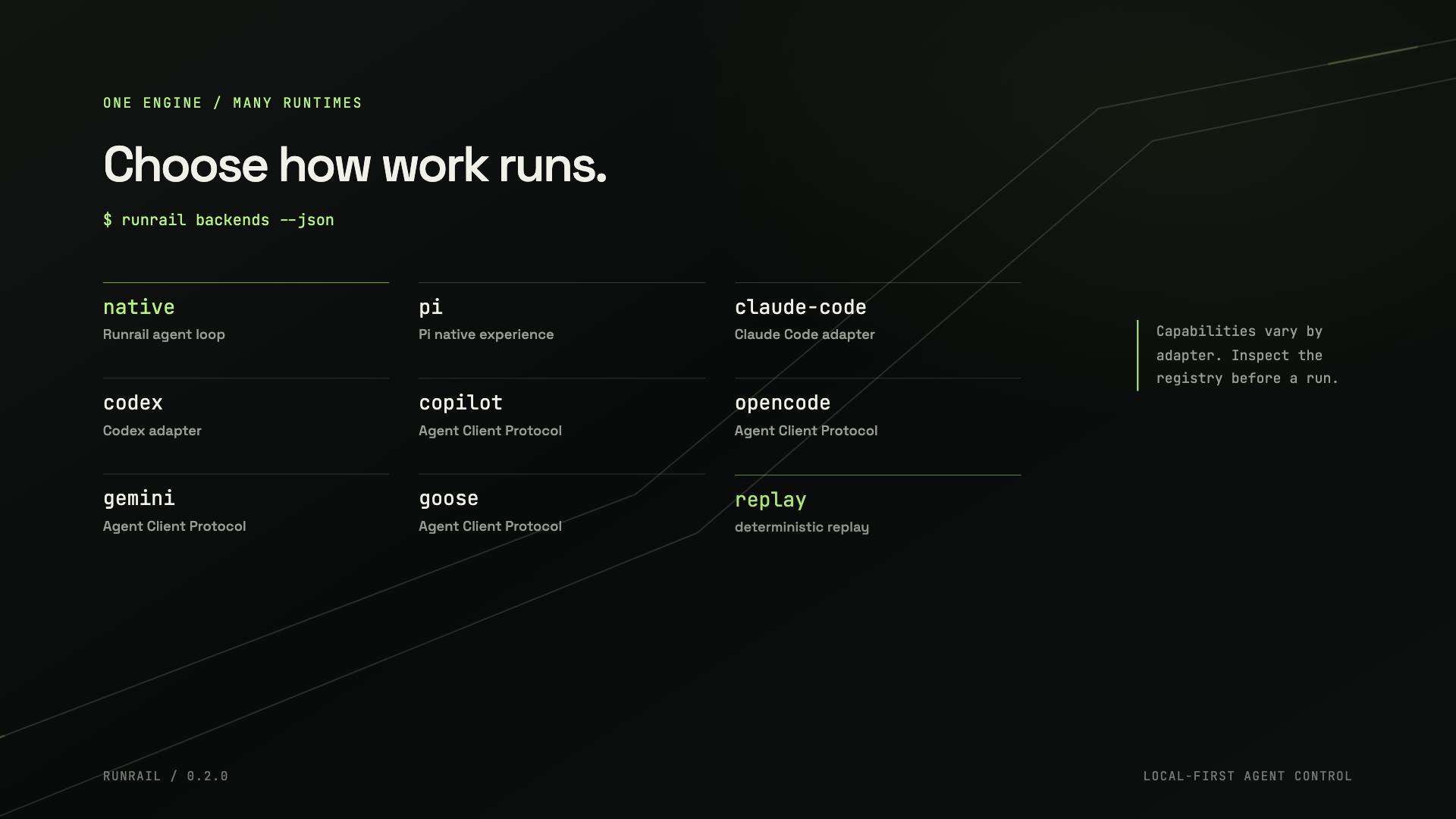
Runrail keeps the same local-first workflow across its native loop and supported coding-tool adapters. Adapter capabilities differ; inspect the registry and compatibility matrix before depending on a specific control.
| Backend | What runs |
|---|---|
| native | Runrail's bounded agent loop, with a deterministic model or a selected provider |
| pi | Pi's own interactive command, provider experience, extensions, and packages |
| claude-code | Claude Code-compatible adapter |
| codex | Codex-compatible app-server adapter |
| copilot | GitHub Copilot CLI through the Agent Client Protocol |
| opencode, gemini, goose | Caller-installed tools through their supported Agent Client Protocol modes |
| replay | Deterministic replay for local workflows and benchmarks |
| caller-supplied | Custom backends and harness descriptors through the public adapter seams |
To launch Claude Code or Codex with their native CLI behavior through the
Runrail command, use runrail claude [args...] or runrail codex [args...].
Runrail forwards the arguments, terminal streams, and exit code and leaves
authentication and execution policy to the vendor CLI. For Runrail-managed
adapter sessions:
runrail run --backend claude-code
runrail run --backend codex
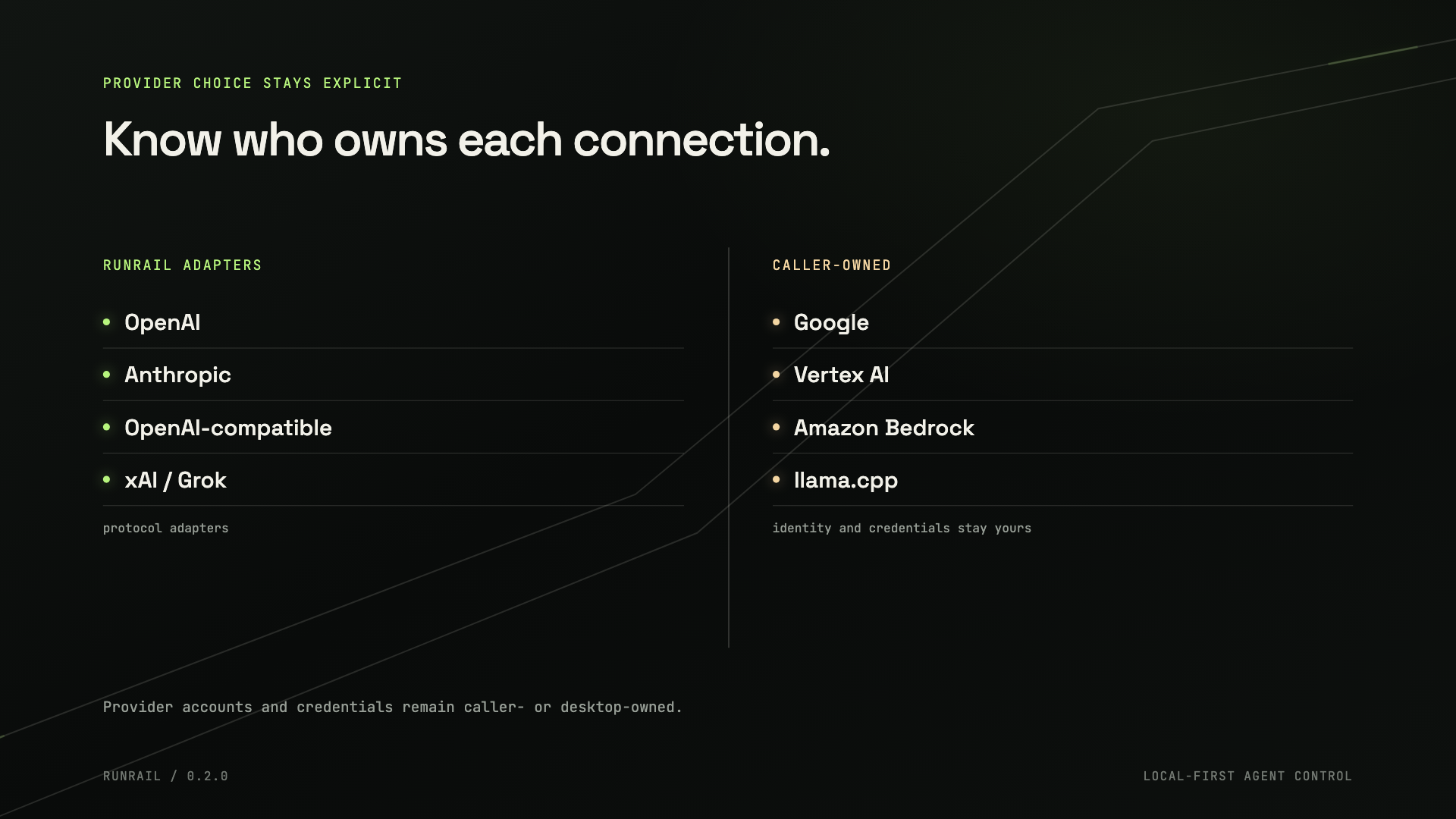
Runrail's first-party native provider adapters support OpenAI, Anthropic, OpenAI-compatible APIs, and xAI / Grok. Caller-owned protocol seams include Google, Vertex AI, Amazon Bedrock, and llama.cpp. Pi keeps its own provider ecosystem through the pass-through command.
Provider accounts and credentials remain caller- or desktop-owned. Runrail references configured credentials ephemerally instead of storing provider passwords or API keys.
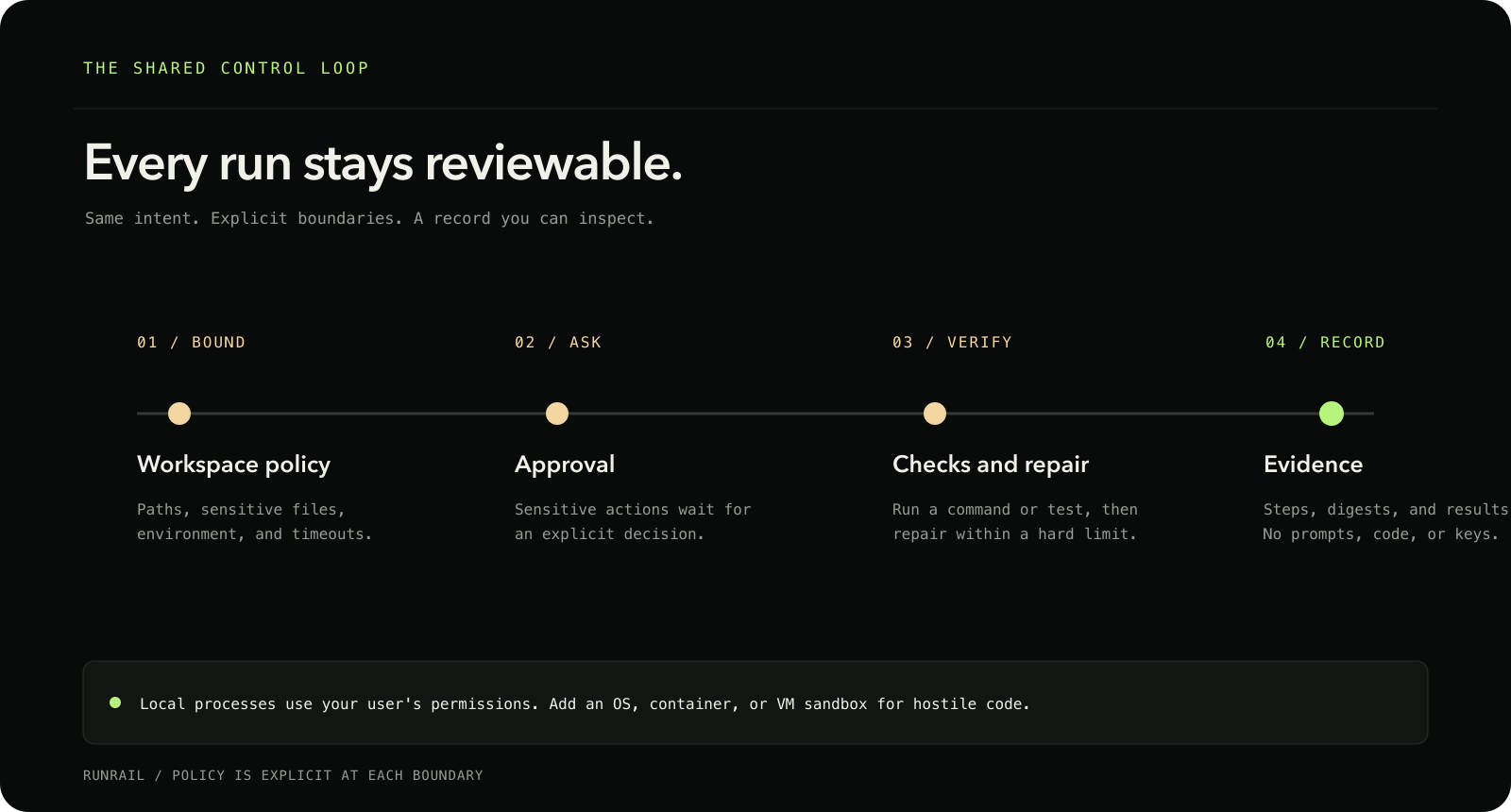
- Workspace policy. Resolve and bound paths, protect sensitive files, filter the process environment, and cap command output and run time.
- Native workspace tools. Read, list, find, and search files; create plans; and use approval-gated patches, writes, exact edits, and commands. Background commands are available for local development processes.
- Approvals. Choose an approval mode and apply rules per tool. Interactive surfaces can ask as work proceeds; non-interactive runs fail closed when an action needs a decision.
- Verification and repair. Run a check, test command, or caller-supplied verification command after a turn. Repair attempts have an explicit limit.
- Hard budgets. Set limits for tokens, estimated spend, tool calls, and wall-clock time.
- Sessions. Resume, fork, branch, rewind, compact, and transfer sessions between supported runtimes. Checkpoints make turn boundaries explicit.
- Content-free evidence. Record steps, digests, and verification results without placing prompts, tool inputs, source code, or keys in the evidence.
- Streaming and metrics. Stream assistant and tool events and inspect bounded run metrics.
- Model and runtime discovery. Inspect deterministic model descriptors,
route models, and review backend capabilities offline. Provider model
discovery is explicit and bounded with
models --discover. - Context and caching. Load bounded project resources and expose cache hooks where the selected runtime supports them.
- Integrations. Bridge MCP servers and clients, discover local skills, verify plugin integrity, and coordinate bounded multi-agent work with optional local Git worktrees.
- Caller-owned connectors. Public GitHub, Linear, Jira, and Slack connector factories require explicit remote opt-in; writes remain approval-gated.
- Generic adapters. Add caller-owned command and HTTP adapters, provider descriptors, harness descriptors, and plugin capabilities. Manage local plugins and packages from the CLI.
When sessions are enabled, conversation transcripts are stored separately from
content-free evidence and may contain prompts, replies, and tool calls. Treat
session storage as project data. Pass --no-session when a run
should not save a transcript.
Use the CLI, TypeScript library, or local RPC surfaces:
-
runrail controlstarts the authenticated loopback JSON-RPC control surface used by the desktop app. It supports approvals, session steering, backend and model switching, transcripts, metrics, and plugins. -
runrail servestarts an authenticated loopback RPC server for a session. -
runrail mcpserves the bounded native tool catalog over MCP stdio. -
runrail servicecan keep desktop-owned scheduled work available after the app closes. -
runrail login,logout, andauth doctormanage or inspect caller-owned sign-ins;runrail doctorchecks the local machine and installed coding tools. -
runrail benchmarkmeasures deterministic replay runs. -
createPtyAgentAdapterandcreatePtyHarnessprovide library-only PTY support; the CLI does not assume a PTY executable. -
SandboxRegistryandcreateHostingProfilevalidate caller-supplied isolation and hosting boundaries. They do not provision containers or remote services.import { createRunrailSession } from "runrail";
const session = await createRunrailSession({ cwd: process.cwd(), backend: "native", });
See the library API, control protocol, desktop capabilities, and hosting examples.
Runrail is an independent consumer of public @nifrajs packages. It uses published packages only and never imports Nifra source or unpublished packages. Each behavior below is announced when it is on, and each can be turned off.
| Where | What Runrail does | When it is on | Turn it off |
|---|---|---|---|
runrail new |
Uses the Nifra starter by default, marks it recommended, and names Nifra and its maker before creation begins | No --starter is given |
--starter vite, --starter next, or --starter empty |
| Runrail's native agent | Adds the bounded tools from nifra mcp to the agent's PATH. Documentation, examples, and types run without approval; other actions require approval |
A Nifra project is detected and nifra is installed |
--no-nifra or RUNRAIL_NIFRA=off |
| Pi | Adds Nifra instructions and tools to the Pi session | A Nifra project is detected | --no-nifra, RUNRAIL_NIFRA=off, or --no-pi-nifra-tools |
runrail run |
Runs nifra check each turn and repairs failures |
A Nifra project is detected and nifra is installed |
--no-nifra, RUNRAIL_NIFRA=off, or a caller-supplied --verification-command |
Runrail detects a Nifra project from a Nifra config file, or when the nearest
package.json depends on nifra or an
@nifrajs/ package or contains a nifra setting.
RUNRAIL_NIFRA=on enables project-aware Nifra integration in every
project.
run and console print one line describing what Nifra
adds to the session, and apps can read the same status from
nifra.status. Runrail never starts nifra from inside
your workspace, installs it, or sends Nifra integration data elsewhere.
Runrail is local-first software, not an automatic hostile-code sandbox or a hosted tenancy service. Local commands run with your user's permissions. Add an OS sandbox, container, or VM when running untrusted code.
Workspace, capability, approval, path, and environment-policy checks fail closed. Provider credentials are never written to evidence. See the security model and security policy.
- CLI reference
- Provider matrix
- Harness compatibility
- Native capability matrix
- Security model
- Control protocol
- Library API
- Plugin compatibility
- Pi compatibility
- Feature status
- Release notes
bun install
bun run typecheck
bun test
bun run test:packed
The packed-consumer check uses public Nifra tarballs from
NIFRA_PACK_DIR, defaulting to
/tmp/nifra-runrail-pack. It does not require a Nifra checkout.
Runrail is licensed under AGPL-3.0-only.